Half-Time Clock
A clean 15-minute countdown timer to measure the interval between halves on any sport event. ⏱️Half-time break is usually 10-20 minutes, and you can customize this timer for any duration. For example the break in basketball and soccer (football) is 15 minutes under the IFAB Laws of the Game, and similar interval lengths are common in many other team sports. Ice hockey thirds and handball halves are interruped by 10 minutes breaks. This is why you can configure the duration to any length. Background on the practice is in the Wikipedia half-time article.
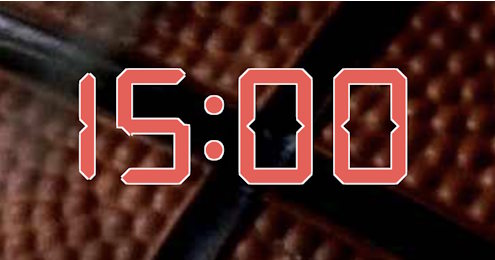
This scoreboard timer gives you a single, large clock counting down from 15:00, by default. Share it on a venue display, a streaming overlay or every phone in the locker room. If you need a free-running count-up instead, switch to the stopwatch, or simply change the settings to count up.
Setup
The half-time clock preset hides every part of the standard scoreboard except the timer, so all you see is a large 15:00 countdown. Click the timer on the admin page, orr press the Space key to start or stop it. Do this again to resume, and the reset button returns it to 15:00, or the set value. The duration is editable, so you can set shorter or longer intervals as needed: 12 minutes for college basketball, 18 minutes for an NHL intermission, or two minutes for a quick drinks break in a handball or futsal match. Set it to 2 minutes to count down time-outs in basketball.
Common Uses
Run the Board From the Admin Preview
The admin page shows a live preview of the scoreboard with click controls baked into every active section, so a full game can be driven from the preview alone, without going back to the side panel.
Anything that reacts to a click turns the cursor into a pointer and brightens on hover, so the interactive zones are obvious without trial and error. Press the Full Screen button on the admin page to hide every panel except the board itself. A small floating toolbar stays pinned at the bottom of the screen with a fullscreen toggle marked F11, zoom out, a reset-zoom button showing the current percentage and the Ctrl -/+ hint, zoom in, and a close button. The same laptop now doubles as the venue display while the operator keeps driving the game through the preview clicks. The site logo at the top left always links back to the home page, so you can jump between match, tournament or standings tools without losing your place.
FAQ
Can I change the 15:00 starting time?
Yes. The 15:00 default matches the football half-time interval, but the duration field is editable when you create the board, and you can rebuild frm any duration later.
Can multiple people see the countdown at once?
Yes. Every clock has a public live URL with no edit controls. Open it on a TV, a projector, a phone, or share the link with players in your team chat.
What if I want a stopwatch that counts up?
Switch to the stopwatch preset for an open-ended count-up. For timing several runners at once, the race timer records lap splits as well.
Does the live page beep when time is up?
No, the live page is silent so it can be displayed in front of a microphone. Keep the admin tab open if you want a visual cue when the clock hits 0:00.