Stopwatch Timer with Live Broadcast
A versatile count-up stopwatch for any activity that needs timing for any occasion. Ideal for training sessions, drills, presentations, debates, cooking, or any scenario where you need a visible, shareable timer. For the history of mechanical and digital timers, see the Wikipedia stopwatch article; for athletics timing standards, World Athletics is the reference.
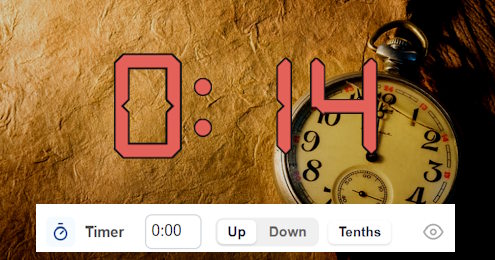
Stopwatch Timer Setup
This preset is basically the online scoreboard, configurad to show only a clean, minimal stopwatch that counts up from 0:00. Score, period, fouls, and timeouts are all hidden, leaving only the timer on screen. Perfect for when you just need a large, visible timer that can be shared via a live link or displayed on a big screen.
Common Uses
Run the Board From the Admin Preview
The admin page shows a live preview of the scoreboard with click controls baked into every active section, so a full game can be driven from the preview alone, without going back to the side panel.
Anything that reacts to a click turns the cursor into a pointer and brightens on hover, so the interactive zones are obvious without trial and error. Press the Full Screen button on the admin page to hide every panel except the board itself. A small floating toolbar stays pinned at the bottom of the screen with a fullscreen toggle marked F11, zoom out, a reset-zoom button showing the current percentage and the Ctrl -/+ hint, zoom in, and a close button. The same laptop now doubles as the venue display while the operator keeps driving the game through the preview clicks. The site logo at the top left always links back to the home page, so you can jump between match, tournament or standings tools without losing your place.
FAQ
Can I count down instead of up?
Yes - switch the timer mode to countdown, and set the starting time when you create the board. Set the duration, and the timer will run down to zero, and optionally even sound a buzzer on expiry.
Can multiple people watch the timer?
Every stopwatch has a public live URL with no edit controls. Share it with participants, cast it to a TV, or open it on every device in the room.
Can I add a score later?
This stopwatch is just the standard scoreboard with everything except the timer hidden. Re-enable the score, period or fouls if your event needs them.