Futsal Scoreboard
Futsal is the official FIFA-recognized form of indoor football ⚽️🥅, played on a smaller court than a football pitch, where two teams of five players (including a goalkeeper) compete in a fast-paced, game that emphasizes close control and quick passing. The Wikipedia futsal article is a great source to learn about this indoor five-a-side game. Visit the official FIFA website that runs the world cup.
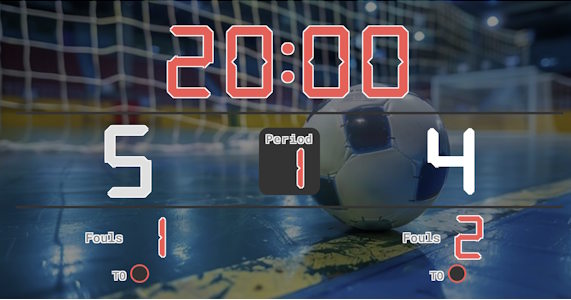
Scoreboard Setup
This preset uses a countdown timer with two 20-minute halves of stopped playing time (the clock pauses on dead balls). The board tracks each team's score, current half, accumulated team fouls and the one timeout each team may call per half under FIFA Futsal Laws.
Key Rules at a Glance
Run the Board From the Admin Preview
The admin page shows a live preview of the scoreboard with click controls baked into every active section, so a full game can be driven from the preview alone, without going back to the side panel.
Anything that reacts to a click turns the cursor into a pointer and brightens on hover, so the interactive zones are obvious without trial and error. Press the Full Screen button on the admin page to hide every panel except the board itself. A small floating toolbar stays pinned at the bottom of the screen with a fullscreen toggle marked F11, zoom out, a reset-zoom button showing the current percentage and the Ctrl -/+ hint, zoom in, and a close button. The same laptop now doubles as the venue display while the operator keeps driving the game through the preview clicks. The site logo at the top left always links back to the home page, so you can jump between match, tournament or standings tools without losing your place.
FAQ
How does the accumulated fouls rule work?
Use the fouls counter for each team. After 5 fouls in a half, the opponent is awarded a direct free kick from the 10-metre mark with no wall - the board keeps the running total visible.
Can I switch the timer to a stop clock?
Yes - pause the timer manually on every dead ball. Top-tier futsal uses an actual stop clock running for 2 × 20 min of pure play.
Can I track the fly goalkeeper substitution?
The board doesn't track lineups, but a fly-keeper substitution doesn't change the score or timer - just watch the play and tap goals as they happen.