Soccer / Football Scoreboard Online
Football ⚽ or soccer in the USA is the world's most popular sport, played in over 200 countries. Two teams of 11 players compete to score goals by getting the ball into the opposing net without using their hands. For the rules and history, the Wikipedia article on association football is a good start.
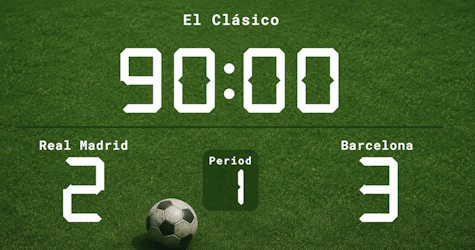
Scoreboard Setup
The soccer/football scoreboard configures a count-up timer starting at 0:00 with two 45-minute halves. The scoreboard tracks goals for each team, the current half, and accumulated fouls. Stoppage time is added by the referee at the end of each half in line with the FIFA Laws of the Game, so the timer counts up in this config.
Key Soccer Rules
Run the Board From the Admin Preview
The admin page shows a live preview of the scoreboard with click controls baked into every active section, so a full game can be driven from the preview alone, without going back to the side panel.
Anything that reacts to a click turns the cursor into a pointer and brightens on hover, so the interactive zones are obvious without trial and error. Press the Full Screen button on the admin page to hide every panel except the board itself. A small floating toolbar stays pinned at the bottom of the screen with a fullscreen toggle marked F11, zoom out, a reset-zoom button showing the current percentage and the Ctrl -/+ hint, zoom in, and a close button. The same laptop now doubles as the venue display while the operator keeps driving the game through the preview clicks. The site logo at the top left always links back to the home page, so you can jump between match, tournament or standings tools without losing your place.
FAQ
Does the timer count up like a real soccer match?
Of course. The preset uses a count-up clock so stoppage time can extend each half naturally. The referee adds the minutes, you just keep the clock running.
How do I track yellow and red cards?
Use the fouls counter for each team to record cumulative cards or fouls. Many leagues also use it to track the foul count for tactical fouls and free-kick decisions.
Can I use it for league or cup matches?
League games can finish drawn; for knockout cup matches play 2 × 15 min extra time, then run a manual penalty shootout adding goals one at a time.