Lacrosse Scoreboard with Live Broadcast
Lacrosse 🥍 is one of North America's oldest team sports, originating with Indigenous peoples. Players use a long-handled stick with a netted pocket (crosse) to carry, pass, catch, and shoot a small rubber ball into the opposing team's goal. Browse the Wikipedia article on lacrosse; or visit the international competition governing World Lacrosse website.
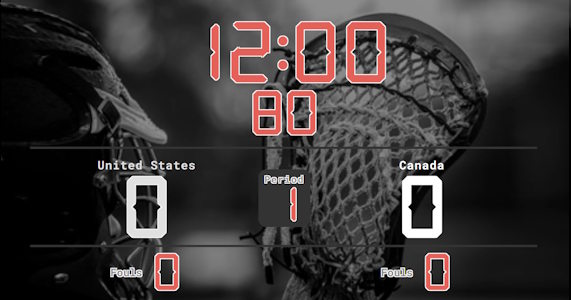
Scoreboard Setup
This preset uses a countdown timer with four 12-minute quarters, similar to NBA basketball. The board tracks each team's score, current quarter, penalties (via the smaller additional counter), and timeouts. Each team receives 2 timeouts per half (4 total per game), lasting 2 minutes.
Main Lacross Rules
Run the Board From the Admin Preview
The admin page shows a live preview of the scoreboard with click controls baked into every active section, so a full game can be driven from the preview alone, without going back to the side panel.
Anything that reacts to a click turns the cursor into a pointer and brightens on hover, so the interactive zones are obvious without trial and error. Press the Full Screen button on the admin page to hide every panel except the board itself. A small floating toolbar stays pinned at the bottom of the screen with a fullscreen toggle marked F11, zoom out, a reset-zoom button showing the current percentage and the Ctrl -/+ hint, zoom in, and a close button. The same laptop now doubles as the venue display while the operator keeps driving the game through the preview clicks. The site logo at the top left always links back to the home page, so you can jump between match, tournament or standings tools without losing your place.
FAQ
Does it support box vs field lacrosse?
Yes, the default is field (4 × 12 min, 80-second shot clock). For box lacrosse switch to 4 × 15 min with a 30-second shot clock and adjust the player count for the 6-on-6 format.
How do I track penalty time?
Use the fouls counter for each team to log penalties. For 1-minute, 2-minute or 3-minute man-down situations, run a separate timer.
Can I run overtime?
Yes. NCAA and World Lacrosse use sudden-victory overtime in 4-minute periods. Reset the clock when regulation ends and the first goal wins.