Netball Scoreboard
Netball is a ball sport played predominantly in Commonwealth countries. Two teams of seven players compete to score goals by passing the ball and shooting it through a raised ring on a post. Unlike basketball, players cannot dribble or move while holding the ball. Read about the sport in the Wikipedia netball article; the world body is World Netball.
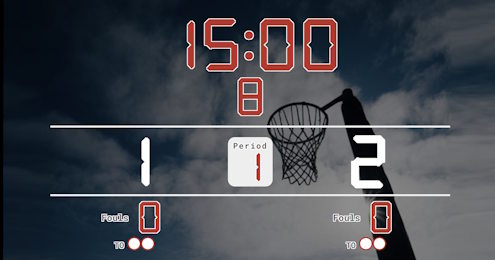
Scoreboard Setup
This preset uses a countdown timer with four 15-minute quarters. The board tracks each team's score, current quarter, infringements (via the fouls counter), and timeouts. Each team receives up to 2 timeouts per game, typically taken between quarters or during stoppages.
Key Rules at a Glance
Run the Board From the Admin Preview
The admin page shows a live preview of the scoreboard with click controls baked into every active section, so a full game can be driven from the preview alone, without going back to the side panel.
Anything that reacts to a click turns the cursor into a pointer and brightens on hover, so the interactive zones are obvious without trial and error. Press the Full Screen button on the admin page to hide every panel except the board itself. A small floating toolbar stays pinned at the bottom of the screen with a fullscreen toggle marked F11, zoom out, a reset-zoom button showing the current percentage and the Ctrl -/+ hint, zoom in, and a close button. The same laptop now doubles as the venue display while the operator keeps driving the game through the preview clicks. The site logo at the top left always links back to the home page, so you can jump between match, tournament or standings tools without losing your place.
FAQ
How do I track infringements?
Use the fouls counter for each team to log obstructions, contacts and footwork calls. The board keeps the running total visible at the venue or on the stream.
Does it support the 2-point Super Shot?
Use the +2 score button to add a Super Shot scored from the outer ring during the final 5 minutes of each quarter, as used in Suncorp Super Netball.
Can I broadcast the game live?
Yes - every match has a public live URL. Open it on a venue display or share it with spectators wherever they are.