Online American Football Scoreboard
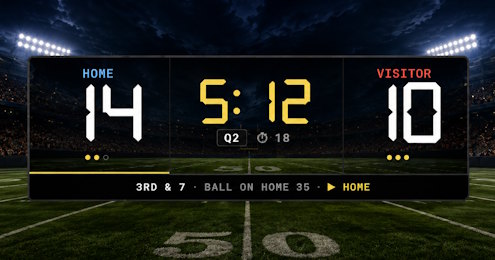
A free online American football 🏈 scoreboard with quarter clock, 40-second play clock, down & distance, ball spot, possession arrow and timeouts. Whether you're running a high-school Friday night, a college game, a flag-football tournament or a backyard rivalry, this board tracks every snap and broadcasts the live score to anyone with the link. Background on the rules and history of the sport is in the Wikipedia article; the governing bodies are the NFL and NCAA.
Steps to set up an American football scoreboard
Score events
The admin scoreboard has one-tap buttons for every common scoring event: TD (6) for a touchdown, XP (1) for the extra point, 2-pt (2) for a successful two-point conversion, FG (3) for a field goal, Saf. (2) for a safety, and a −1 chip for quick corrections. The Undo button reverses the last score event including any clock state at the time.
Down, distance and ball spot
Run the board from the admin preview
The admin page shows a live preview of the scoreboard plus a dense control panel. Most interactions are one tap. The game-clock and play-clock displays themselves are clickable: tap a paused clock to type a new value (MM:SS or seconds for the game clock; integer seconds for the play clock). Timeout dots above each team show how many are left; the small +/- buttons in the timeout row charge or restore one.
Press the Full Screen button on the admin page to hide every panel except the board itself, turning the laptop or tablet into the venue display while the operator drives the game through the small floating toolbar.
FAQ
Does the board enforce real American football rules?
No - the board is a display surface, not a referee. It records what the operator enters. The point of the board is to surface the state (score, clock, down, possession) cleanly for spectators and streamers.
Can I add a 5th or 6th overtime period?
Yes. Press Next Quarter past 4 and the board labels each period OT1, OT2, ... up to OT5. The game-clock reset on each quarter uses the overtime length (default 10:00).
How does the play clock work?
It counts down independently of the game clock. Tap Start to begin the countdown after a play; tap Reset to restore it to the configured target (40 or 25). Flipping possession to the other team (a turnover or new drive) automatically resets and restarts the play clock, so the operator doesn't have to tap Reset → Start on a change-of-possession snap. When it hits 0 the clock auto-stops; nothing else happens automatically (no penalty enforcement).
Can I use the board for flag football or arena football?
Yes. Adjust the quarter length, play-clock target and timeouts to match your league rules; the scoreboard layout is the same.